

Managing customer relationships is one of the biggest challenges for growing businesses. Whether you’re tracking leads, following up with prospects, or organizing customer information, using spreadsheets or scattered notes can quickly become overwhelming.
That’s where CRM software comes in. A Customer Relationship Management (CRM) system helps businesses organize contacts, manage sales pipelines, automate repetitive tasks, and improve customer communication—all from one central platform.
If you’re looking for the best CRM software for small business, this guide compares today’s leading solutions based on ease of use, features, pricing, integrations, and overall value. Whether you’re a startup, local business, agency, or online company, you’ll find a CRM that matches your needs and budget.
Table of Contents
- What Is CRM Software?
- Why Small Businesses Need CRM Software
- CRM Software Comparison Table
- Best CRM Software Reviews
- How to Choose the Right CRM
- Frequently Asked Questions
- Final Verdict
What Is CRM Software?
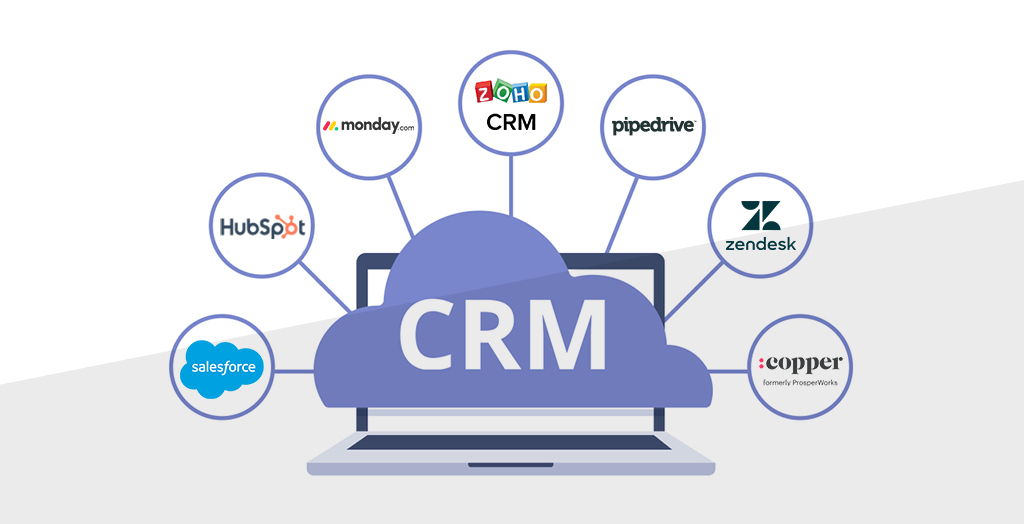 CRM stands for Customer Relationship Management. It is software that helps businesses manage interactions with customers and prospects throughout the sales journey.
Instead of keeping customer details in multiple places, a CRM stores everything in one secure location. Your team can access contact information, emails, notes, tasks, sales opportunities, and communication history whenever needed.
Modern CRM platforms also include automation features that reduce manual work, allowing sales and support teams to spend more time building relationships and closing deals.
Common CRM Features
- Contact and customer management
- Lead tracking
- Sales pipeline management
- Email integration
- Task and calendar reminders
- Reporting and analytics
- Workflow automation
- Team collaboration
- Mobile access
- Third-party integrations
Why Small Businesses Need CRM Software
Small businesses often have limited time and resources. A CRM helps teams stay organized, respond to customers faster, and reduce the risk of missed opportunities.
Some of the biggest benefits include:
- Keep all customer information in one place.
- Track every lead from first contact to sale.
- Automate follow-up emails and reminders.
- Improve collaboration between sales and support teams.
- Generate reports to understand sales performance.
- Deliver a more consistent customer experience.
Choosing the right CRM early can help your business scale more efficiently as your customer base grows.
How We Evaluated the Best CRM Software
To make this comparison useful, we evaluated each CRM using practical criteria that matter to small businesses rather than focusing only on feature lists.
- Ease of setup and daily use
- Core CRM features
- Automation capabilities
- Integration with popular business tools
- Reporting and analytics
- Customer support
- Pricing and value for money
- Scalability for growing businesses
CRM Software Comparison Table
If you’re comparing multiple CRM platforms, this table provides a quick overview of their best use cases, standout features, pricing model, and free plan availability.
| CRM Software | Best For | Free Plan | Starting Price* | Key Features | Ease of Use |
|---|---|---|---|---|---|
| HubSpot CRM | Startups & Small Businesses | ✅ Yes | Paid plans available | Contact Management, Email Tracking, Sales Pipeline, Live Chat | ★★★★★ |
| Zoho CRM | Growing Businesses | Limited Trial | Paid plans available | Sales Automation, AI Assistant, Analytics, Workflow Automation | ★★★★☆ |
| Salesforce Starter | Scaling Businesses | Trial Available | Paid plans available | Advanced CRM, Reports, Automation, Integrations | ★★★★☆ |
| Pipedrive | Sales Teams | Trial Available | Paid plans available | Pipeline Management, Email Sync, Automation | ★★★★★ |
| Freshsales | Sales & Customer Support | Limited Free Plan | Paid plans available | AI Insights, Built-in Calling, Email Tracking | ★★★★☆ |
| Monday CRM | Project & Sales Management | Trial Available | Paid plans available | Custom Pipelines, Dashboards, Team Collaboration | ★★★★★ |
| Insightly | Relationship Management | Trial Available | Paid plans available | Lead Management, Workflow Automation, Reporting | ★★★★☆ |
| Zendesk Sell | Customer-Focused Sales Teams | Trial Available | Paid plans available | Sales Tracking, Calling, Email Integration | ★★★★☆ |
*Pricing, features, and plan availability may change over time. Visit each provider’s official website for the latest information.
Best CRM Software for Small Business: Detailed Reviews
The following reviews explain how each small business CRM works in everyday situations. Every platform includes contact and sales management, but they differ in ease of use, automation, customization, integrations, and the types of businesses they serve best.
1. HubSpot CRM
Best for: Startups and small businesses that want an easy-to-use CRM with room to add marketing and customer service tools.
HubSpot CRM is a popular starting point for businesses moving away from spreadsheets. It keeps contacts, companies, deals, tasks, emails, and meeting activity in one organized workspace. The visual pipeline makes it easy to see which opportunities are new, active, delayed, or close to completion.
HubSpot is especially useful when sales and marketing teams need access to the same customer information. Businesses can begin with core CRM features and later add tools for email marketing, forms, live chat, customer support, content management, and automation. This flexibility makes HubSpot one of the best CRM platforms for small business, although advanced features can increase the total subscription cost.
Key Features
- Contact, company, and deal management
- Visual sales pipeline
- Email tracking and templates
- Meeting scheduling and task reminders
- Forms, live chat, and lead capture
- Sales reports and dashboards
Pros
- Easy for beginners to understand
- Useful free tools for small teams
- Strong sales and marketing integration
- Large marketplace of third-party integrations
- Can grow with the business
Cons
- Advanced automation and reporting may require higher plans
- Costs can rise when adding several HubSpot products
- The number of available tools may be more than a very small team needs
Ideal for: Startups, marketing agencies, consultants, online businesses, and companies looking for a beginner-friendly CRM with marketing tools.
2. Zoho CRM
Best for: Growing businesses that want broad CRM functionality, automation, and good value.
Zoho CRM helps teams manage leads, contacts, accounts, deals, communication, and sales activities. It offers more customization than many basic CRMs, allowing businesses to adjust fields, page layouts, modules, workflows, and reports around their processes.
A major advantage is its connection to the wider Zoho software ecosystem. A company can connect its CRM with Zoho tools for email, accounting, customer support, marketing campaigns, projects, analytics, and other operations. This makes it a practical CRM solution for growing businesses that want several business applications from one provider. The interface and large number of settings may require more setup than a simpler platform.
Key Features
- Lead, contact, account, and deal tracking
- Sales workflow automation
- Custom fields, layouts, and modules
- Email and multichannel communication
- Sales forecasts, reports, and dashboards
- Integration with the Zoho business suite
Pros
- Extensive features for the price
- Good customization and automation options
- Useful for several industries and sales processes
- Works well with other Zoho applications
- Suitable for small teams and growing companies
Cons
- The number of settings can feel overwhelming at first
- Advanced functionality may be limited to higher plans
- Teams may need time to configure the interface properly
Ideal for: Service companies, distributors, real estate businesses, growing sales teams, and organizations already using Zoho products.
3. Salesforce Starter
Best for: Small businesses that expect to grow and may eventually need the broader Salesforce ecosystem.
Salesforce Starter provides core sales, service, and marketing capabilities in a package designed to be more approachable than a full enterprise implementation. Teams can organize leads and contacts, track opportunities, manage customer conversations, create reports, and build repeatable sales processes.
The main reason to choose Salesforce is scalability. A company can start with essential CRM functions and move toward more advanced Salesforce products as its teams, customer base, and operational requirements grow. Salesforce also has a large app and consulting ecosystem. However, configuration, administration, and total cost can become more complex than with a lightweight CRM for startups.
Key Features
- Lead, account, contact, and opportunity management
- Task and sales activity tracking
- Email and customer communication tools
- Reports and dashboards
- Sales process automation
- Access to the wider Salesforce ecosystem
Pros
- Strong long-term scalability
- Comprehensive customer management capabilities
- Large integration and application marketplace
- Powerful reporting options
- Can support more complex processes as a company grows
Cons
- Steeper learning curve than simpler CRMs
- Customization may require an experienced administrator or partner
- Additional products and services can increase overall costs
Ideal for: Fast-growing businesses, business-to-business sales teams, technology companies, and organizations that expect to need enterprise CRM software later.
4. Pipedrive
Best for: Sales-focused teams that want a simple visual pipeline and clear follow-up activities.
Pipedrive organizes opportunities as cards in a drag-and-drop sales pipeline. Representatives can move each deal through customized stages and immediately see its value, expected closing date, recent activity, and next action. This visual approach makes the platform easy to understand and helps managers identify deals that are not progressing.
Pipedrive focuses strongly on sales rather than trying to replace every marketing or customer service application. It includes email synchronization, activity reminders, automation, forecasts, and reports, while integrations can connect it with other tools. It is one of the most practical options for businesses that primarily need sales pipeline management software.
Key Features
- Drag-and-drop deal pipelines
- Contact and activity management
- Email synchronization and templates
- Workflow automation
- Sales reports and revenue forecasting
- Mobile CRM applications
Pros
- Clear and intuitive sales pipeline
- Easy for sales representatives to learn
- Strong reminders and activity tracking
- Quick setup for straightforward sales processes
- Useful mobile access for employees in the field
Cons
- Marketing and support features are less extensive than all-in-one platforms
- Some capabilities may require higher plans or add-ons
- Not designed for highly complex enterprise operations
Ideal for: Sales agencies, consultants, real estate teams, software companies, and any small business that values a simple visual sales CRM.
5. Freshsales
Best for: Small and medium-sized sales teams that want customer records and communication tools in one place.
Freshsales is part of the Freshworks product family. It provides contact and account records, customizable deal pipelines, activity history, communication tools, automation, lead qualification capabilities, and reports in a clean interface.
The platform is useful for inside sales teams that communicate frequently by email or phone and want those interactions connected to customer records. Businesses using other Freshworks products can also create a more connected experience between sales and customer support. Freshsales offers a good balance of simplicity and functionality, although advanced workflows and analytics may depend on the selected plan.
Key Features
- Contact, account, and deal management
- Customizable sales pipelines
- Email and communication tracking
- Lead scoring and sales insights
- Workflow automation
- Reports, dashboards, and forecasts
Pros
- Modern and easy-to-navigate interface
- Useful built-in communication capabilities
- Good balance between ease of use and CRM depth
- Connects with the Freshworks product ecosystem
- Suitable for teams moving beyond spreadsheets
Cons
- Advanced automation and reports may require an upgraded plan
- Third-party ecosystem is smaller than some market leaders
- Customization is less extensive than large enterprise platforms
Ideal for: SaaS companies, service businesses, inside sales teams, and organizations already using Freshworks customer support tools.
6. monday CRM
Best for: Teams that want customizable sales workflows and visual collaboration tools.
monday CRM uses flexible boards, columns, views, dashboards, and automations to organize leads, contacts, accounts, deals, and sales tasks. Teams can adapt the workspace to their process with no-code configuration rather than being forced into a rigid pipeline.
The visual design is helpful for companies that want sales and project work to feel connected. For example, a closed deal can trigger onboarding or delivery tasks for another department. This flexibility is a strength, but businesses should define clear rules for boards and fields. Too much customization can create inconsistent data and make reporting harder.
Key Features
- Custom lead and deal pipelines
- Contact and account organization
- No-code workflow automation
- Email synchronization and activity tracking
- Visual dashboards and reports
- Templates and application integrations
Pros
- Colorful and approachable interface
- Highly flexible sales workflows
- Useful automation without coding
- Strong collaboration and work management features
- Easy to connect sales with post-sale activities
Cons
- Too many custom boards can lead to inconsistent processes
- Advanced reporting requires thoughtful workspace design
- Some teams may prefer a more traditional CRM structure
Ideal for: Creative agencies, project-based companies, startups, and businesses already using monday.com for team collaboration.
7. Insightly
Best for: Project-based businesses that need to manage both sales relationships and work delivered after a deal closes.
Insightly combines customer relationship management with project and task management. Teams can track contacts, organizations, leads, opportunities, emails, and activities during the sales process, then carry relevant information into delivery work after a customer signs.
This connection is valuable for service businesses where winning a deal is only the beginning of the customer relationship. Insightly also offers workflow automation, dashboards, reports, and integrations. Companies already using a dedicated project management platform should compare the overlap carefully before adopting both systems.
Key Features
- Lead, contact, and organization management
- Opportunity and pipeline tracking
- Project and task management
- Relationship links between records
- Workflow automation
- Reports, dashboards, and integrations
Pros
- Connects sales activity with project delivery
- Useful relationship management between people and companies
- Flexible pipelines and workflows
- Centralizes customer and project context
- Well suited to professional services
Cons
- Setup and navigation can require an adjustment period
- Some advanced features may require higher plans
- Project tools may duplicate software a business already uses
Ideal for: Consultants, agencies, construction-related companies, and other service businesses with structured post-sale projects.
8. Zendesk Sell
Best for: Customer-focused sales teams that want sales activity connected with the wider Zendesk service environment.
Zendesk Sell provides lead, contact, company, and deal management with email, calling, task, and reporting capabilities. It is designed to help representatives keep communication organized and maintain a clear view of each opportunity.
Its main appeal is the connection between sales and customer experience workflows, particularly for organizations familiar with Zendesk products. However, software portfolios and product availability can change. Businesses considering Zendesk Sell should confirm its current sales availability, support timeline, and migration options directly with Zendesk before making a long-term commitment.
Key Features
- Lead, contact, and deal management
- Sales pipeline and activity tracking
- Email integration
- Calling and communication tools
- Tasks, reminders, and mobile access
- Sales reports and dashboards
Pros
- Clean interface for customer-focused sales work
- Centralized communication and activity history
- Helpful mobile tools for sales representatives
- Relevant to businesses using the Zendesk ecosystem
- Supports straightforward pipeline management
Cons
- Businesses must verify the current product roadmap and availability
- Customization is not as extensive as larger enterprise CRMs
- May not offer the broad marketing functionality of an all-in-one platform
Ideal for: Customer-focused sales organizations and existing Zendesk users, subject to confirmation of current product availability and support.
How to Choose the Best CRM for Your Small Business
The right CRM is not always the platform with the longest feature list. The best choice is one your team can understand, use consistently, and connect with its everyday work. Consider the following factors before purchasing.
1. Identify Your Main Goal
Decide what problem the CRM needs to solve first. You may need to replace spreadsheets, improve lead follow-up, organize customer history, automate sales tasks, or create reliable revenue reports. A clear goal prevents you from paying for features your business will not use.
2. Map Your Sales Process
Write down the steps a lead follows from first contact to completed sale. Include the people responsible, information required, typical follow-up actions, and approval stages. Then choose sales CRM software that supports this process without unnecessary workarounds.
3. Check Ease of Use
A complicated CRM may fail if employees avoid updating it. During a trial, ask future users to create a contact, add a deal, schedule a follow-up, find an email, and produce a basic report. Their experience is more useful than a feature demonstration alone.
4. Review Integrations
Check whether the CRM connects with your email, calendar, website forms, accounting system, marketing tools, customer support platform, phone system, and project management software. Good integrations reduce duplicate data entry and create smoother business workflow automation.
5. Compare Automation Features
Useful CRM automation may include lead assignment, reminders, email sequences, stage-based tasks, notifications, record updates, and approvals. Confirm which subscription includes the number and complexity of workflows your business requires.
6. Evaluate Reports and Analytics
Choose a CRM that can answer the questions important to your business, such as expected revenue, conversion rate, average sales cycle, lead source performance, lost-deal reasons, and team activity. Remember that reports are only accurate when employees maintain good data.
7. Review Security and Data Control
Look for appropriate access permissions, authentication options, encryption, backups, audit information, and data export tools. If your company operates in a regulated industry, request the provider’s current security and compliance documentation.
8. Calculate the Total Cost
Do not compare only the advertised monthly price. Include licenses for all users, advanced features, integrations, data migration, setup, training, support, and future upgrades. The cheapest plan may not be the best value if it lacks essential capabilities.
9. Test Before Committing
Use a free trial or demonstration with realistic customer data and daily tasks. Test at least two suitable platforms, gather employee feedback, and confirm that important features work on the plan you intend to purchase.
Frequently Asked Questions (FAQs)
What is CRM software?
CRM (Customer Relationship Management) software helps businesses organize customer information, track leads, manage sales opportunities, and improve communication with prospects and existing customers. It centralizes customer data, making it easier for teams to collaborate and deliver better service.
Why do small businesses need CRM software?
Small businesses benefit from CRM software by keeping customer information organized, automating follow-ups, tracking sales pipelines, and reducing manual work. A CRM also helps improve customer relationships and supports business growth as your client base expands.
Which CRM is best for small businesses?
The best CRM depends on your business needs. HubSpot CRM is a popular choice for beginners because of its free plan and user-friendly interface. Zoho CRM offers strong automation features, while Pipedrive is ideal for sales-focused teams. Businesses already using Microsoft or Google products should also consider how well a CRM integrates with their existing tools.
Is there a free CRM available?
Yes. Several CRM providers offer free plans or free trials. These plans are often suitable for startups and small teams but may include limitations on users, features, storage, or automation. As your business grows, you may need to upgrade to a paid plan.
How much does CRM software cost?
CRM pricing varies by provider and features. Many vendors offer multiple subscription tiers for different business sizes. Before choosing a CRM, compare the available plans, included features, and any additional costs for extra users or advanced functionality.
Can CRM software improve sales?
Yes. A CRM helps sales teams track leads, schedule follow-ups, manage customer interactions, and monitor sales pipelines. Better organization and timely communication can improve conversion rates and reduce missed opportunities.
Can CRM software integrate with other business tools?
Most modern CRM platforms integrate with popular business applications such as email services, marketing tools, accounting software, project management platforms, customer support systems, and productivity suites. These integrations help streamline workflows and reduce manual data entry.
What features should I look for in a CRM?
Important features include contact management, lead tracking, sales pipeline management, workflow automation, reporting, email integration, mobile access, and third-party app integrations. Choose a CRM that matches your current needs while allowing room for future growth.
Is CRM software difficult to learn?
Most modern CRM solutions are designed with user-friendly interfaces and provide onboarding guides, tutorials, and customer support. Basic features can often be learned quickly, while advanced automation and reporting may require additional training.
How do I choose the right CRM for my business?
Start by identifying your business goals, team size, budget, and existing software. Compare CRM platforms based on ease of use, available features, integrations, customer support, security, and scalability. Whenever possible, take advantage of a free trial before making a final decision.
Final Verdict
Choosing the best CRM software for your small business ultimately depends on your goals, budget, and the way your team works. There isn’t a one-size-fits-all solution, but the right CRM can help you build stronger customer relationships, improve sales performance, and save valuable time through automation.
If you’re launching a new business or looking for a simple, user-friendly solution, HubSpot CRM is an excellent place to start thanks to its generous free plan and intuitive interface. Businesses that want more customization and automation should consider Zoho CRM, while Pipedrive is a strong option for sales-driven teams that need a visual pipeline.
For growing companies that require advanced reporting, integrations, and enterprise-level capabilities, Salesforce Starter offers a powerful platform that can scale with your business. If your team values collaboration and project management, Monday CRM is another solution worth exploring.
Before making a final decision, take advantage of free trials or demos whenever possible. Test how each CRM fits into your daily workflow, evaluate its ease of use, and ensure it integrates with the tools your business already relies on.
Our Top Picks
- 🏆 Best Overall: HubSpot CRM
- 💰 Best Value: Zoho CRM
- 📈 Best for Sales Teams: Pipedrive
- 🚀 Best for Growing Businesses: Salesforce Starter
- 🤝 Best for Team Collaboration: Monday CRM
- ⚡ Best AI Features: Freshsales
- 🎯 Best Customer-Focused Sales CRM: Zendesk Sell
No matter which platform you choose, investing in the right CRM today can help you organize customer data, streamline sales processes, improve customer satisfaction, and support long-term business growth.
📌 Important Note
This article is intended for informational purposes only. CRM software features, pricing, free plans, integrations, and licensing terms may change over time as providers update their products and services.
Before purchasing or subscribing, we recommend visiting each provider’s official website to verify the latest information, compare available plans, and choose the solution that best fits your business requirements.